Tutorial 5 of 7
Subtitles, privacy findings and the report
Beginner 8 min
Edit and preview captions on your video, find photos that reveal GPS locations or carry Content Credentials, and print a report with findings and charts.
Subtitles
The Subtitles view is a small caption desk. Pick a subtitle file (SRT, VTT, ASS or SBV), edit the text and see it on any video of your library with Update preview. Check and clean sends the file to Subtitle Studio, which can convert the format, shift the timing, wrap long lines, fix overlaps and measure reading speed. The result is a new subtitle file in the library; the issues found in the original are listed under Last check. Replace this file's text with the cleaned version can be undone.
Privacy and provenance
Photos from phones often contain the GPS position where they were taken. The template Privacy-safe photo sharing has a recipe that inspects location data with EXIF Inspector & Cleaner and Content Credentials with the C2PA inspector. Files with a location get a red GPS badge in the library. The Share-safe photo (no GPS location) check turns this into a pass/fail list, and its second recipe Strip metadata and shrink removes the metadata with EXIF Inspector & Cleaner and re-encodes the photos smaller, which produces clean copies to share.
C2PA findings report whether a file carries Content Credentials, whether it declares itself as AI-generated and which software made it. Reelcraft reports what the inspector finds; it cannot prove that a file without credentials is authentic or not.
The report
Report collects everything into one page:
- key figures: files, outputs, size change, delivery checks, loudness spread, GPS locations;
- Findings as plain sentences, for example how much space the outputs save or which files fail a spec;
- a before/after size chart (also as SVG or PNG download);
- loudness, privacy, checks and recent runs tables;
- your notes.
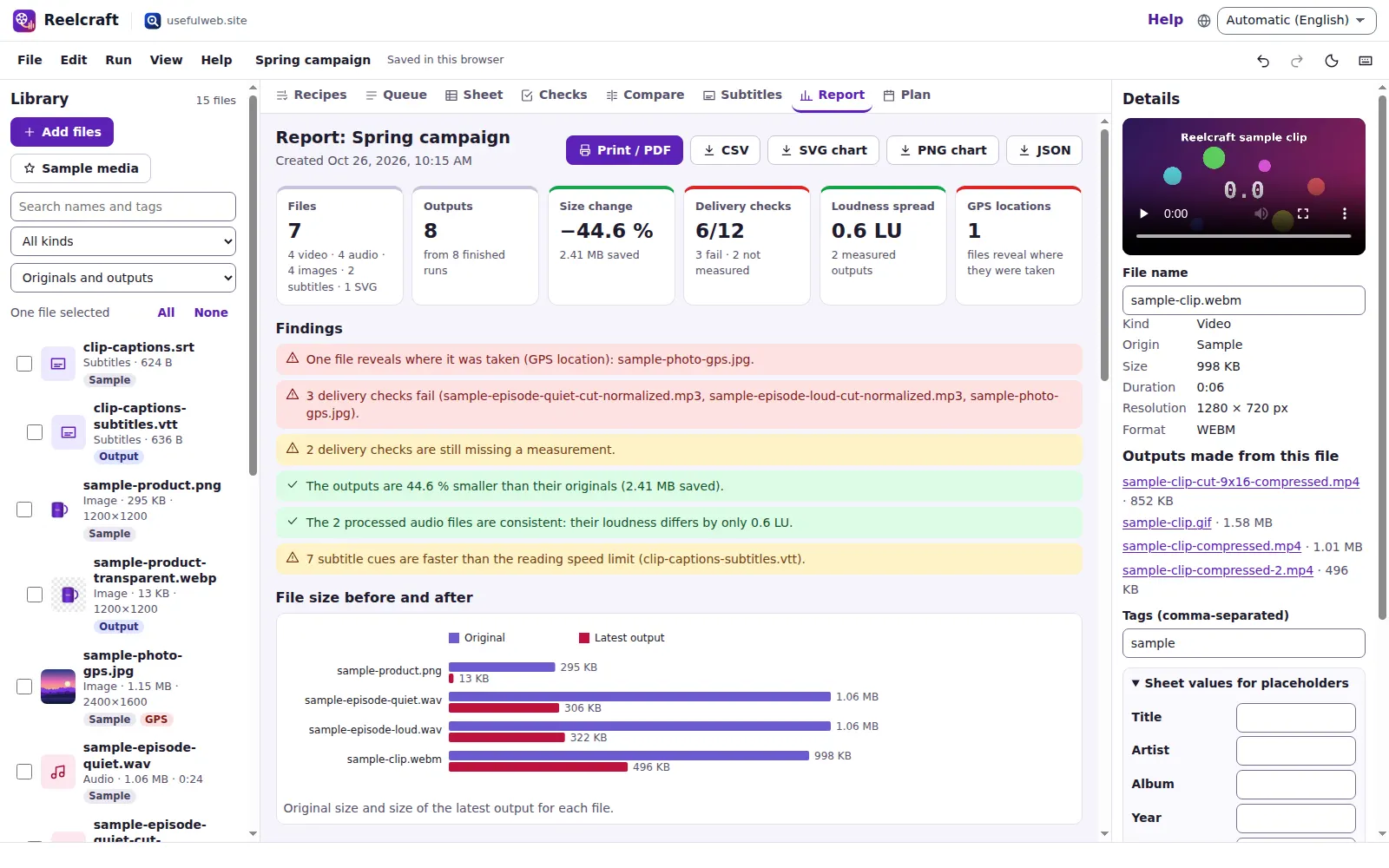
Print / PDF prints only the report, without menus and panels. The library, checks and runs are also available as CSV.
Ready to try it?